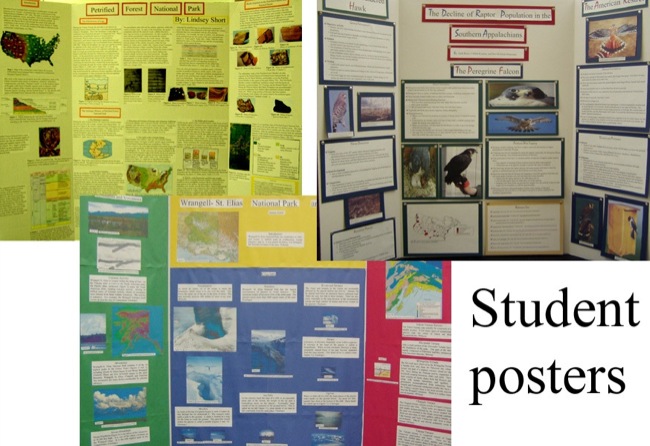
While tri-fold posterboards are all the rage in educational circles these days (I mean, parents...er...students do everything they can do one-up each other with poster bells and whistles...and lights) they are indeed static.
What I mean is, once the presentations are over, the posters either sit in the corner of classroom collecting dust, or they sit in a landfill somewhere collecting, well, more dust.
Your science fair posters are destroying
the earth!
The information stops at the classroom door and will only be seen by parents who happen to get off work to grab a peek at their son or daughter's presentation on dolphins or the French Revolution. While the work is not gone to waste, the actual product itself will eventually become part of an Al Gore documentary film.
There is an easier way, not only to keep Al Gore happy, but also to make your unit assessment process easier, quicker, and more dynamic.
ThingLink is a website that offers teachers and students alike an avenue to produce content and show learning in a medium that can be seen across the globe. The web-based program allows users to import pictures and link, well, "things" to those pictures. With just a few clicks, ThingLink pictures can be chock full of videos from YouTube or Vimeo, pictures from across the Internet, original writing, or combinations of the above.
Instead of looking at a basic and static picture (or poster, right?) audiences are treated to an authentic rendering of thoughts, ideas, media, etc. all encased within a picture of the student's choosing. As the old saying goes, a picture is worth a thousand words.
Here are just a pair of examples of what your students (or you) could create:
Classroom ideas:
Science - labelling parts of a cell, or information about different body systems
Automotive Tech - a description of the various parts of an engine, complete with videos of how to change an oil filter, for example
Social Studies - compile information about various Civil War battles over the top of a regional map
Language Arts - with the book cover as a backdrop, provide the audience with a description of characters, setting, and theme along with a short teaser movie uploaded to YouTube
Family and Consumer Science - an interactive recipe complete with tutorial videos of the proper way to add flour to wet ingredients Parent Communication - embed information about classroom assignments or procedures within a picture of the classroom
And the list goes on
ThingLink has a free account with limited functions, or you could look into purchasing their education account. For $35 a year, you will have access to more advanced features. (Check with their website for details.) All accounts offer a social media aspect whereby users can follow other users and access content from all around the world. Aside from engagement, purpose, and convenience, the best thing about ThingLink is that it does away with bulky posterboard and overflowing landfills. And follow the EdTechManiacs on Twitter @coachdarin22@blaireinfeldt
Those of you who have 1:1 or a classroom set of tablets can certainly take advantage of the app that is in every way worthy of the $2.99 price tag.
With EE, students have the capacity to create high quality slideshows complete with videos, pictures, and annotation tools including text, drawing, and scribble features. What's more, your students can create, edit, and upload their finished video products directly to the device picture roll or any number of cloud storage sites including Google Drive. It is even compatible with YouTube and features easy uploading to a public or private channel.
EE also allows students to record themselves talking about any kind of classroom content, from describing the literary elements of "The Most Dangerous Game" to explaining (there's that word again) why the area of this irregular object is approximately ___ cm.
The best part of Explain Everything?
Unlike several other whiteboard apps, EE lets students record, edit, and save presentations for use from day to day, or even week to week. Such a feature makes the app perfect for quick formative assessment or for formal summative presentations. EE can either augment or take the place of classroom speeches.
It is widely accepted that having students talk their way through solutions and reasoning yields higher achievement. Additionally, many kids find it much easier to explain their thinking verbally than they do trying to make sense of it in writing. (Nationally-renowned educator and speaker Dr. Wesley Fryer said it this way: How much more could students accomplish if writing skills were not holding them back?)
Indeed, do a quick Web search of business presentations. You will be inundated with sites touting "10 Tips for a Killer Presentation" but would be hard-pressed to find the same advice for writing a top business essay. While quality writing skills are and always will be an integral part of success, the truth is most of what is defined as victory in the world of business centers around the ability to master the spoken word.
Finally, one of the biggest advantages of EE is that it saves valuable grading time. Instead of dragging an entire ream of papers to your son's soccer practice, you can simply open up YouTube on your phone and assess an entire class set of presentations while also working on your tan. Try catching some rays with 50 or so loose sheets of paper flying around.
Need more evidence? Consider these hints and ideas:
+ Use EE to flip your classroom - in conjunction with a YouTube channel or Google Drive account
+ Do a YouTube search for Explain Everything videos - see what other schools are doing with it
+ For those students with device access outside of school, make homework come alive with EE assignments
+ Use looped EE presentations to showcase student work at parent/teacher conferences or school open houses
+ Download a free e-book with several lesson ideas for students through junior high school
+ This website offers an informative tutorial along with some teaching ideas
+ EE offers the capacity to annotate videos (John Madden, anyone?)
While reading Daniel Pink's book Drive, I came across for me a very earth shattering passage. In his chapter entitled "The Rise and Fall of Motivation 2.0." Pink sets up a an interesting thought. To paraphrase, he asks his readers to imagine that it is 1995. He says, “I’m going to describe two new encyclopedias—one just out, the other to be launched in a few years. You have to predict which will be more successful in 2010.”
Below, I would like to set up his binaries.
Encyclopedia 1
Encyclopedia 2
Microsoft Funded
Doesn’t come from a company
Well paid Professional Writers
Written and edited by a thousands of people for fun.
Well compensated Managers
Contributors work 20 and sometimes 30 hours per week, for
free.
Completed on time and on budget
There are no deadlines and no budget
Sold on CD Rom Later sold on the internet
The encyclopedia exists completely online and costs
nothing
He continues saying "According to my crystal ball, in 2010, one of these encyclopedias will be the largest and most popular in the world and the other will be defunct."
Now, we are lucky to have the hindsight to know that Encyclopedia 1 is MSN Encarta, which Microsoft ended on October 31st, 2009, and Encyclopedia 2 is none other than Wikipedia. Pink goes on to talk about why this is the case. I do not plan on getting into that today, however if you'd like to dive into that, I very much suggest you read Daniel Pink's Drive, or at the very least check out his Ted Talk.
After reading this, I wanted to test this out in a classroom setting. In our state, my Junior English Students are asked to do a lit circle at the end of the year. This body of educational evidence is known as "the Reader's Choice". In this assessment, students are to read a book of their choice and engage in class discussions surrounding theme, vocabulary, literary devices, special quotes and a handful of other topics. They are then asked to synthesize all of this information into a visual presentation.
I chose to do this a bit differently than what was done in the past.
All year long, we had done many group projects within classes. I felt like there were few combinations that I could make that hadn't already been done. So instead I took all 4 of my classes (this totaled roughly 105 students) and threw them all together in a pot. I wanted to see if I could have students working on a project completely online, and where they never once met face to face in person. I understand there are social aspects of group work that were missed here, but with our world operating on such a global scale, I thought this would definitely be a 21st century skill.
I began looking for an educational online platform where students could read, chat, post ideas, and present their findings together. I essentially was looking for a wiki. I came across wikispaces.com.
I plan to post a few "how to's" and specifics on what we were able to do with wkispaces. Suffice it to say, it had everything I needed and even things that I didn't know I needed that became essential to the process.
I will go through how we used all 4 of these programs in upcoming posts. This activity was extremely successful. Not just by my standards, but I used an anonymous poll and found that the kids really enjoyed it as well. The students mentioned that they "felt like (we were) doing something special every day." I also had one student say "I usually read something and then forgot it. With this project, I was able to see the progress and remember."
Our website, which I give complete credit to our students for what they created, was featured on wikispaces as an outstanding use of their software. As a representative of the class, I had the opportunity to do a google hangout with Wendy Gorton from wikispaces on how we used it in the classroom. You can check it out below. Here is the article.
Below you can find the link to the wiki, if you'd like to check it out.
I am so lucky to be teaching in a district and a
school that really puts an emphasis on innovation and the use of
technology. I would name names of some of the great resources and helps I
have to be able to officially even make this post, however I wouldn’t
want to single them out while leaving out others. Suffice it to say,
this up coming school year, I will be able to have the resource of a
full iPad lab in my classroom. This is such an unbelievably great
resource but mostly it will allow me to go completely paperless,
something I have dreamed of for years. But before I get into how I am
planning on using this even more this year, which believe me, it was
integral part of my class last year; I’d like to pay a particular homage
to something that I will not be missing: Paper.
Most specifically I would like to take a second and detail what it is
about paper that I will not be missing, especially as a teacher.
1. The Paper War
Every year as a teacher I get stacks and stacks and stacks of
assignments and papers. Many of them are from other teachers and
administrators.
These are unavoidable. Now on the other hand, most of it is from
assignments I created. This is not. I am not the most organized
individual, and though many of the teachers I meet have file cabinets
and folders and stickers and tabs and all number of ways to manage the
paper war, I feel unprepared and even less organized in that world.
However, if you give me a hard drive or an iPad with a linked
dropbox, my world becomes organized and categorized. Paper War, I’d like
to introduce myself. I am the new General in this battle. Prepare to be
PWNED.
2. Milk Crates
I will not
miss these guys at all. Carrying one or two of these down the hall, down
the stairs and into my car only to have to make a return trip the next
day was a pain in my butt. The amount of effort to jam as many notebooks
or binders into these guys was just too much on some days. Carrying
over 50 pounds of paper and projects to and from my car was a chore.
Granted, I think my body is missing the upper body workout in carrying
these guys, the stress of moving them around will not be missed. I’m mean seriously have you ever carried one? Whoever
invented it must be someone somewhat connected with Chinese Torture
Procedures. There is not one spot on them that is enjoyable or even the
least bit comfortable to hold on to. Good riddance.
All of my
student work will be on their Evernote notebook that can be shared with
me, and acts as an e-portfolio, or through livebinders. I look forward to
walking home each day as Harry Wong describes. Which was always a pipe
dream in the conventional way.
3. Angry Principals
Yes, while I
understand that these are somewhat unavoidable and that there are other
things that I will do or not do that may create this again, each and
every year I have taught, my different principals have all reached
April-May-ish and become the Paper Nazi. Last year reached a peak where
our principal refused to pay for any more copies that are being made. I
had shifted to a paperless class in attempt to try it out, and what I
really enjoyed was the peace of mind to know that I was not the one
provoking his ire.
4. Necessary Paper Accessories
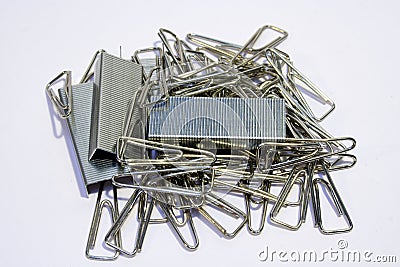
Don’t these
objects spark a sense of fear in your heart? It never fails. Ever year I
have one student staple their finger, be it on purpose or by accident.
Even worse is when you find that one student who sat at his desk and
shot staples into the carpet. This deadly tools to both fingers and
learning environments will not be necessary in my classroom.
5. Pencil Sharpeners
Talk about
the tail wagging the dog! I had to make specific procedures in my class
to avoid the worst sound in the world. The grinding of a pencil
sharpener. We had to practice when to use it, when not to use it. We had
to have signs saying when it was to be used. I was haunted by
nightmares of the sound of this object overpowering every word I said.
Now if you personally are going to miss the sounds this thing make, I
can direct you to some wonderful sound clips that you can use at night
to put you to sleep. I for one, look forward to new types of
nightmares…er…dreams.
6. Lines at the Copy Machine
Now, I don’t
know if it’s just my school, but to use our copy machine, I feel like I
am going on the greatest ride ever at Disneyland. I feel as though they
should have a fast pass to get to do some copies. Now we are all
cordial and we tell each other that we will be quick, but how much
quicker can we get a copy machine to work. That is the equivalent of
jumping as high as you can and then trying to hurry back down. It’s
impossible.
I walked by the copy machine yesterday and laughed as I realized I would not have to join that line. Evah. As in Nevah Evah.
Am I the only one. Is anyone else going paperless and if you are, what won’t you miss? If you aren’t, what is stopping you?






 Indeed, do a quick Web search of business presentations. You will be inundated with sites touting "10 Tips for a Killer Presentation" but would be hard-pressed to find the same advice for writing a top business essay. While quality writing skills are and always will be an integral part of success, the truth is most of what is defined as victory in the world of business centers around the ability to master the spoken word.